Save contacts download for android 12 (Snow Cone)
APK file Save contact 1.10.7 compatible with Android 12How to install APK / APKS / OBB file on Android
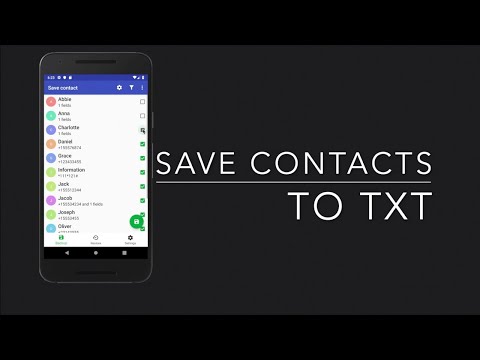

Get selected data from the phone book with just a couple of clicks! Any format is available for viewing on almost any device, be it a phone, tablet or computer. You can edit most of the formats in your favorite programs. The application will allow you to customize your folder/file settings and select the necessary data types (phones, email, and others) with the contact content preview.
The application creates files in txt format and in the Google spreadsheets, from which you can immediately download the following formats:
► Xlsx - excel format
► Ods
► Pdf
► Html(zip)
► Csv
You can view txt file it on any device. If another program cannot display the file, or there are some unreadable characters - try to change the encoding in the file settings next to the file name.
The program provides the ability to restore contacts from a txt file or a Google spreadsheet. Due to the fact that it is quite difficult to recognize the content in text files - the application can only read names, emails and phone numbers. You can write a file and load contacts from it to your phone. Use one of two formats - single-line or multi-line.
Single-line - each contact starts with a new line and there are no empty lines, there is a “:” after the name and there are “;” between the phones.
Multi-line - a first line is a contact name, contacts are separated by empty lines.
The app can restore numbers if there are no spaces or other unusual characters in them. The exception is USSD, which are recognized by the program.
The application allows you to configure each component separately:
► Contact list settings - select writing style, fields and remove duplication by merging fields. Preview allows you to see how to change the text of a single contact immediately.
► Restore settings - enable checking of existing contacts.
► File settings - enter the common name, select a folder, select encoding of the text files (UTF-8 or UTF-16), add the current date to the file name and select date format
To save contacts wait for the load from the phonebook and press the green button, which is located in the bottom corner. You will see the info window at the bottom of the screen after the creation of the file would be completed.
A system alert appears to request permission to use the phone book and memory card. Without this, the application will not be able to load contacts and save files.
Personal data is stored only on the user's device and it will not be transferred to third parties.
- LicenseFree
- File nameSave contact
- File Version1.10.7
- Package nameviked.savecontacts
- Size11.32 MB
- UploadedMarch 19, 2024
- Android5.0 or later
- CategoryTools
- DeveloperYevhenii Shein
- Developer site
- Developer emailinitbin@gmail.com
- md5 hashd462b4416ab49df9d499ecc7a9e80138
- Architecture-
- Permissionsshow (14)